Manual
Advanced Editing Widget
Overview
Power and precision for professional editing in ArcGIS Experience Builder.
Optimize your spatial data management with a tool designed for efficiency. The Advanced Editing widget allows you to edit feature layers in ArcGIS Enterprise and Online, integrating advanced capabilities that go beyond standard tools:
- Intelligent Automation: Custom automatic validations and calculations using ArcGIS Arcade expressions.
- Mass Productivity: Batch editing for simultaneous updates of multiple records.
- Infrastructure Control: Basic integration with Utility Network rules to maintain the integrity of your networks.
Getting Started
Installation
To install an Experience Builder widget, follow the instructions at: Arcgis: Add custom widget
Configuration
The configuration panel has three sections:
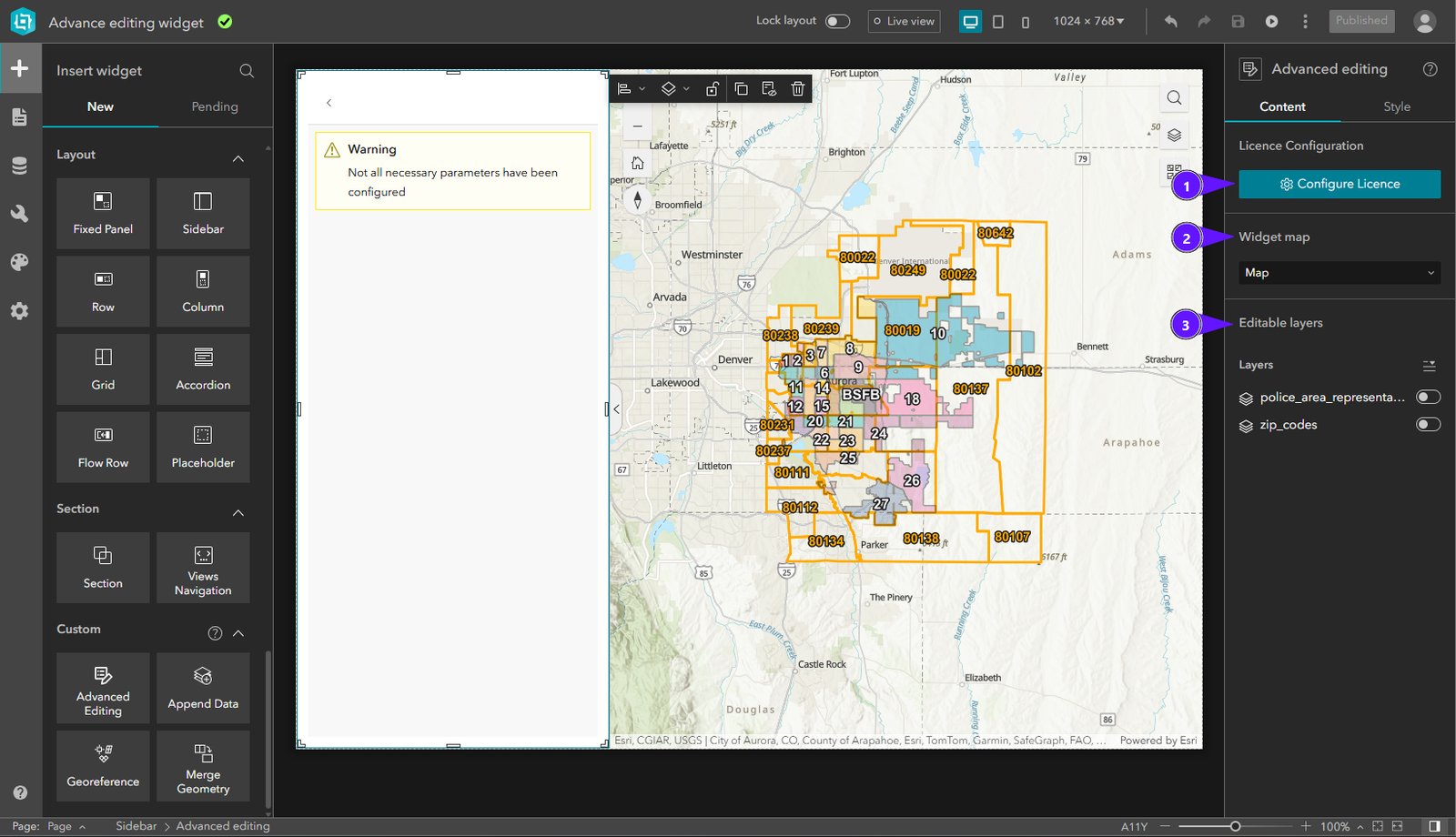
- License Configuration
- Map settings
- Layers settings
License Configuration
To activate the widget license:
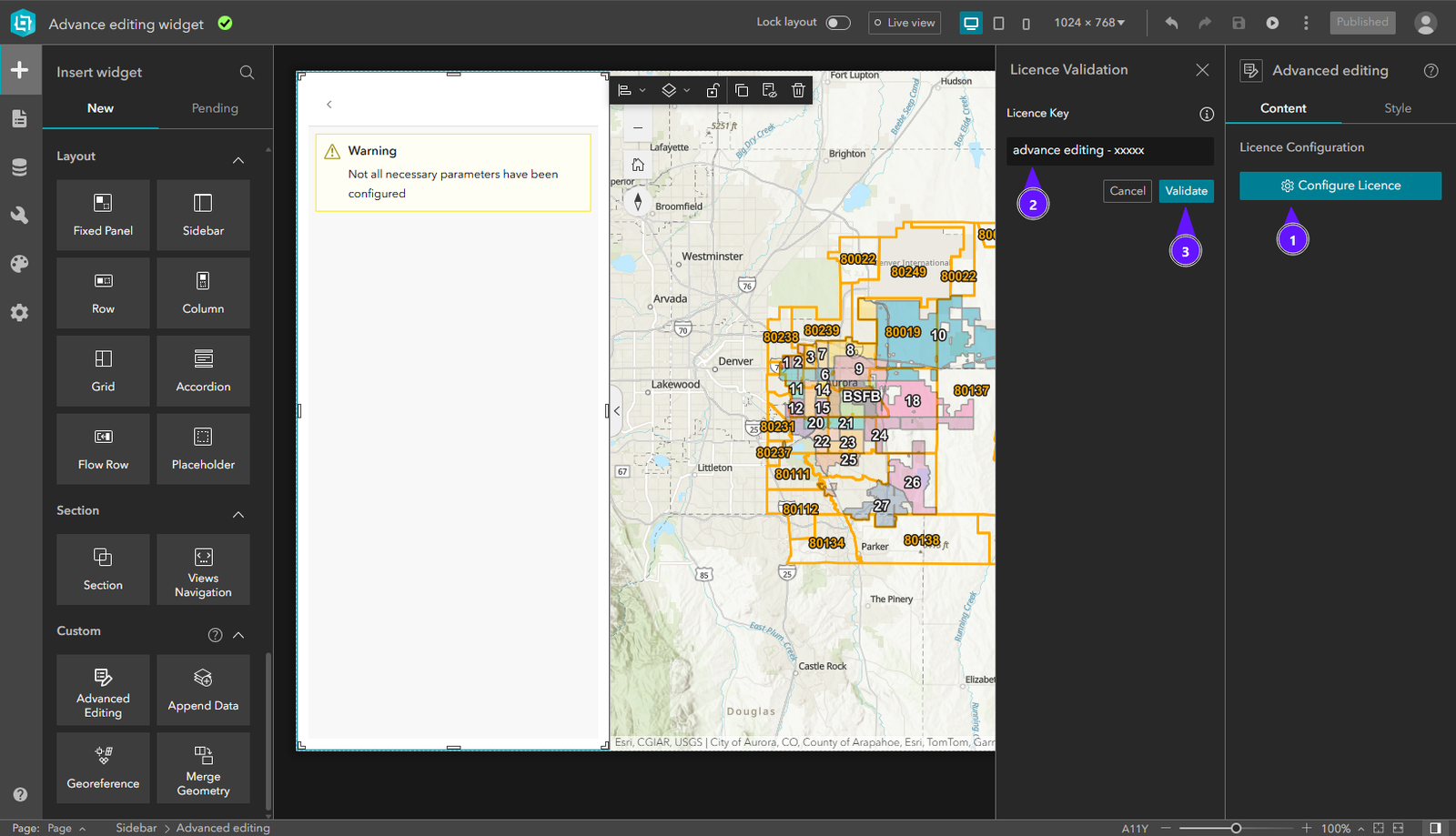
- In the right panel, click Configure Licence.
- Enter your license key in the input field.
- Click Validate.
Once validated, the widget is fully functional.
Select Map Widget
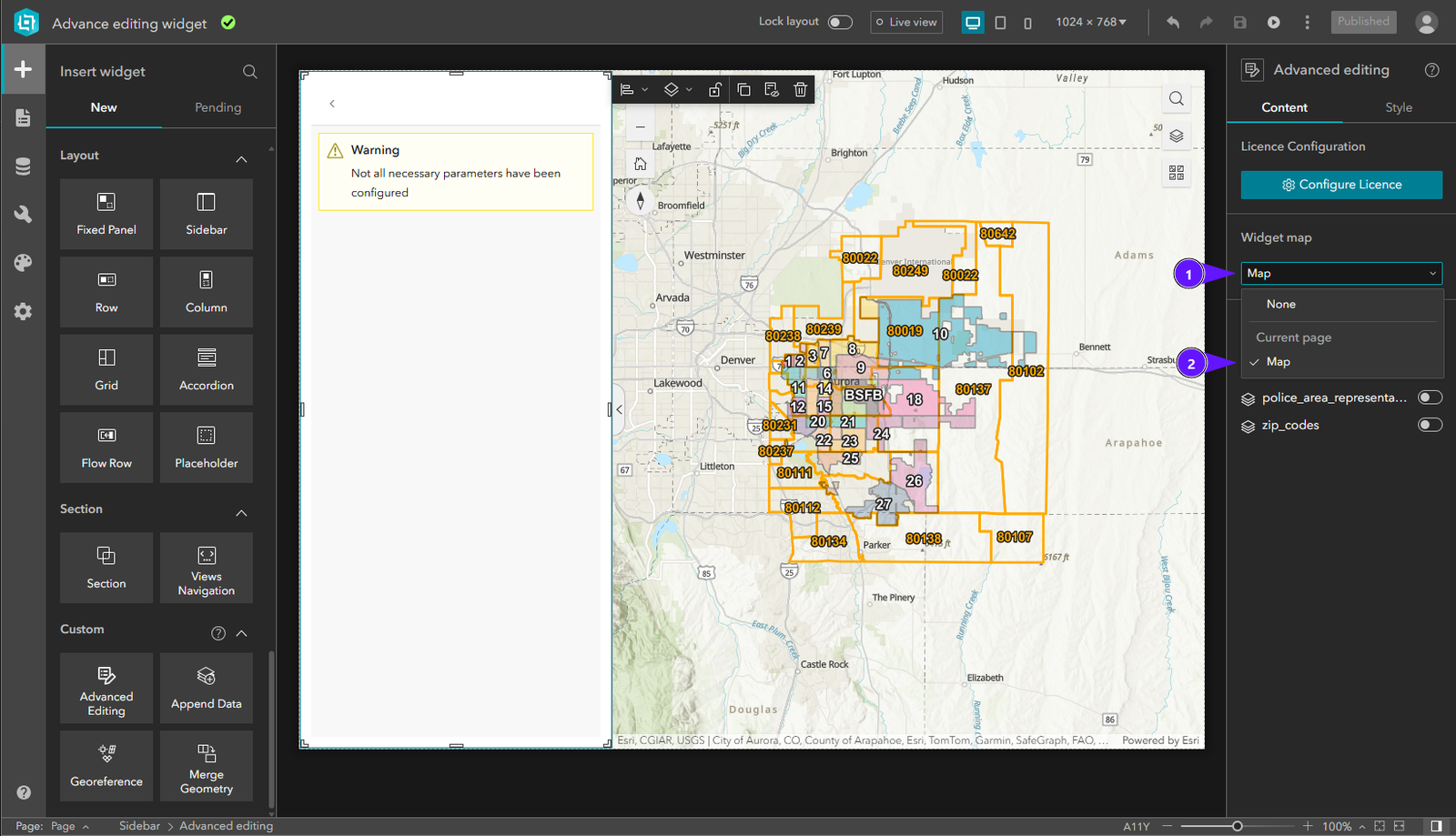
In Select Map Widget, open the dropdown (1) and choose the map (2) to use with this widget.
Select Layers
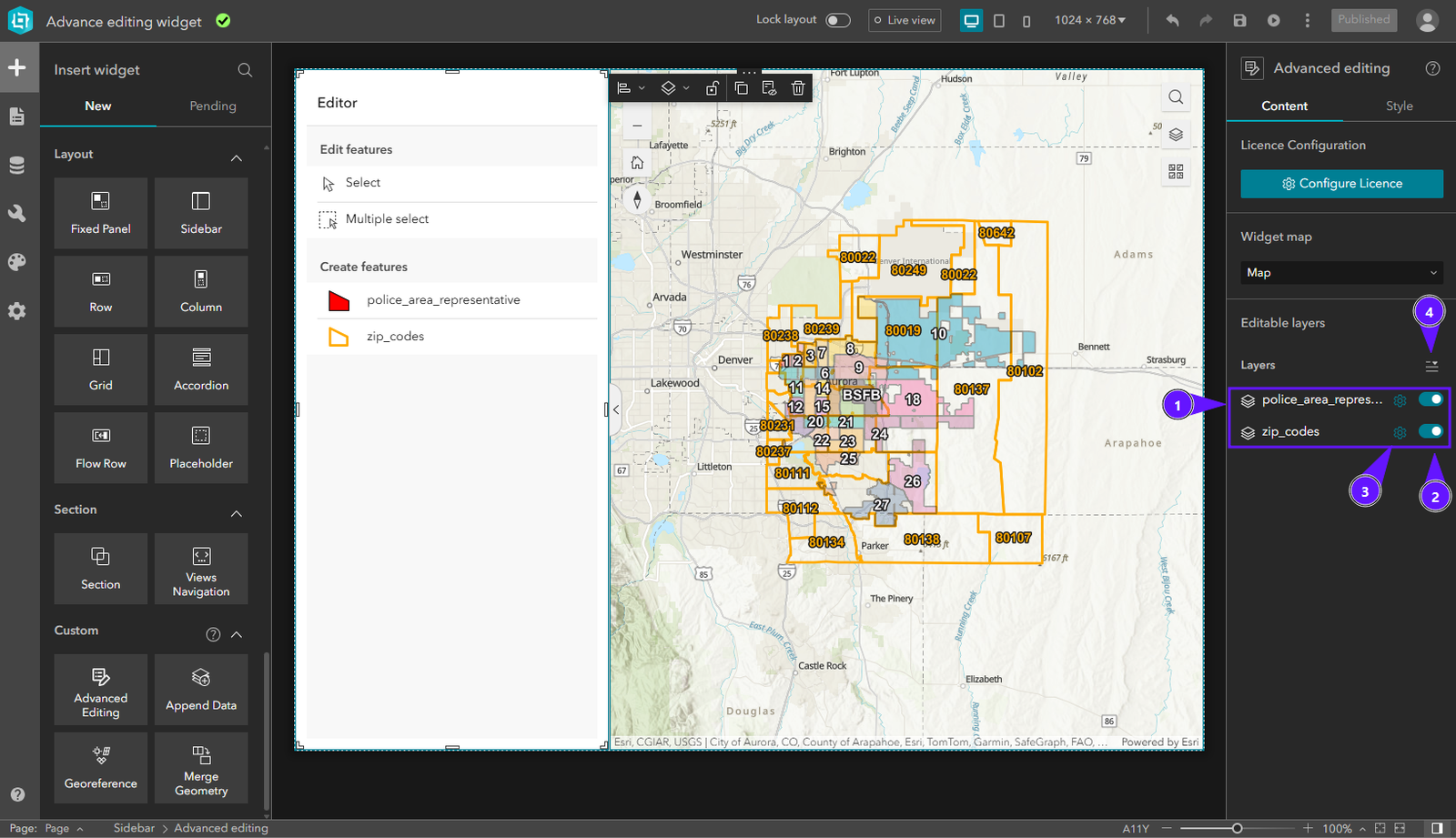
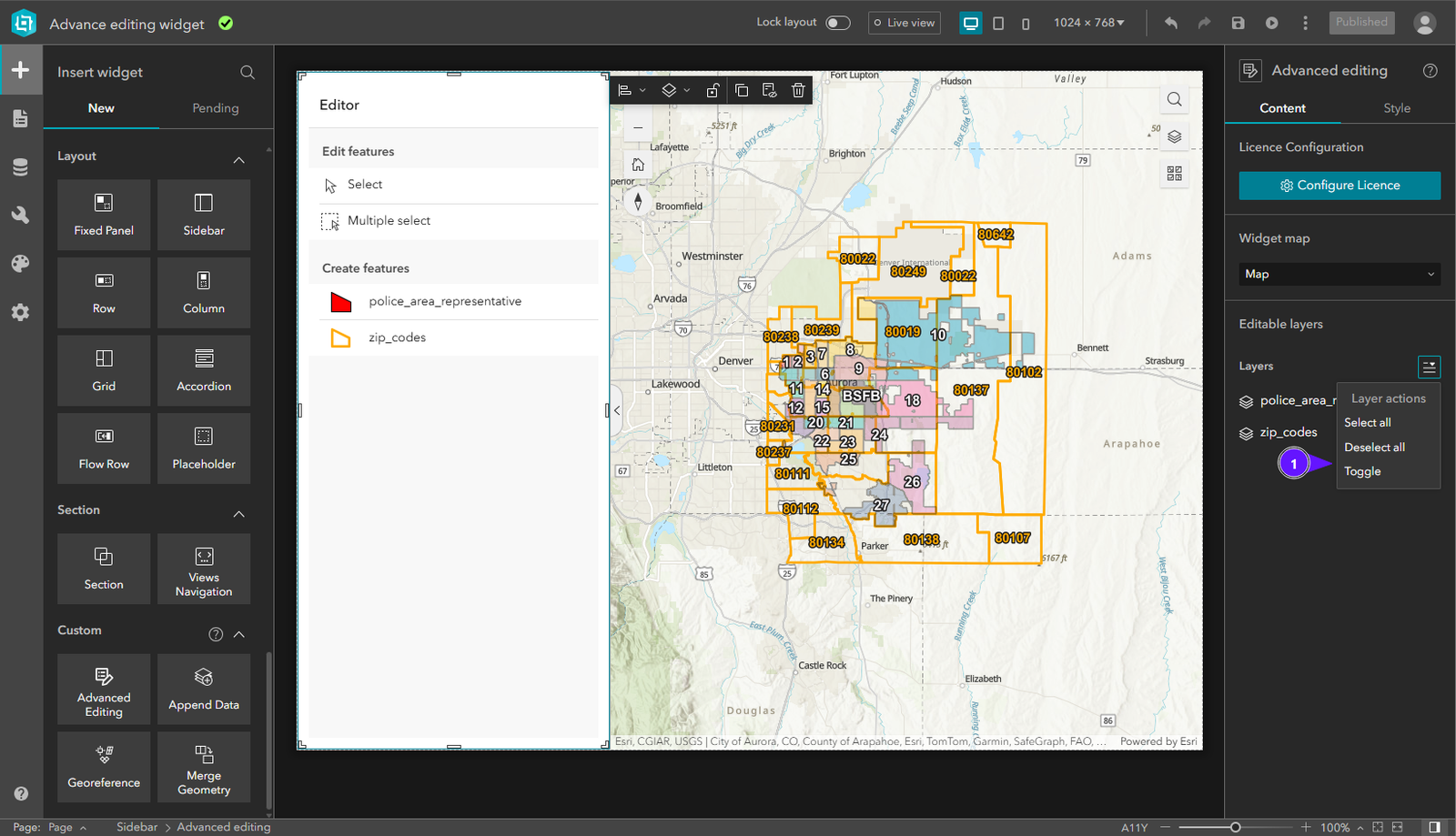
In Select Layers, the layer list (1) lists layers available in the published app. Enable or disable layers (2) for editing operations. Configure the layer (3) with its fields, validations, and calculations. Use the quick-select tool (4) to select layers faster.
Usage
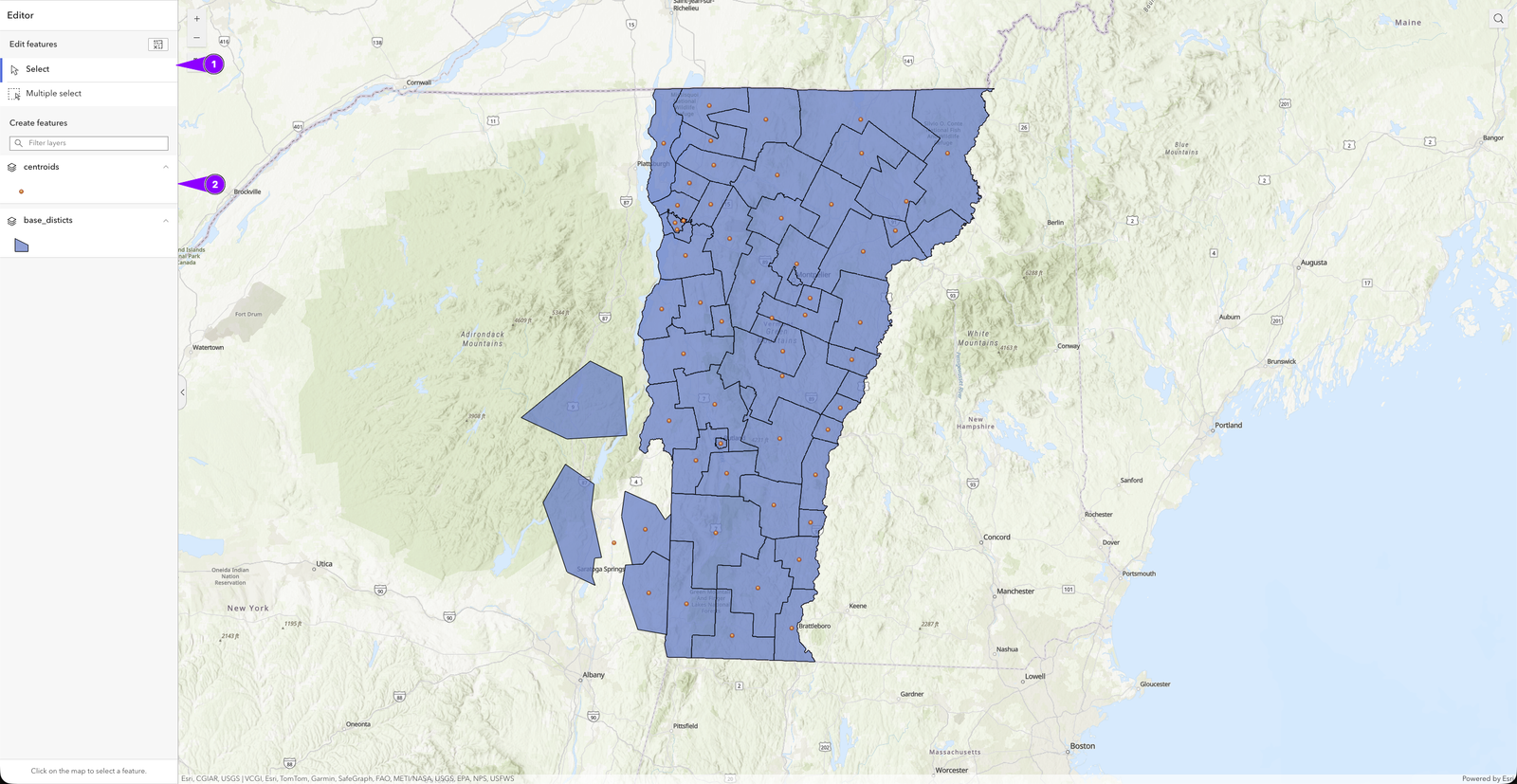
When we log into the platform, the first things we will see are the editing tools (1) and the creation tools (2).
Editing Tools
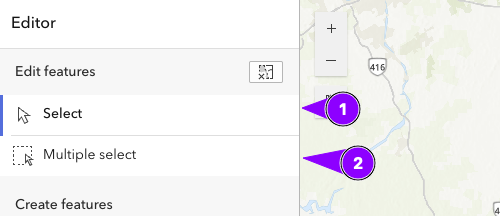
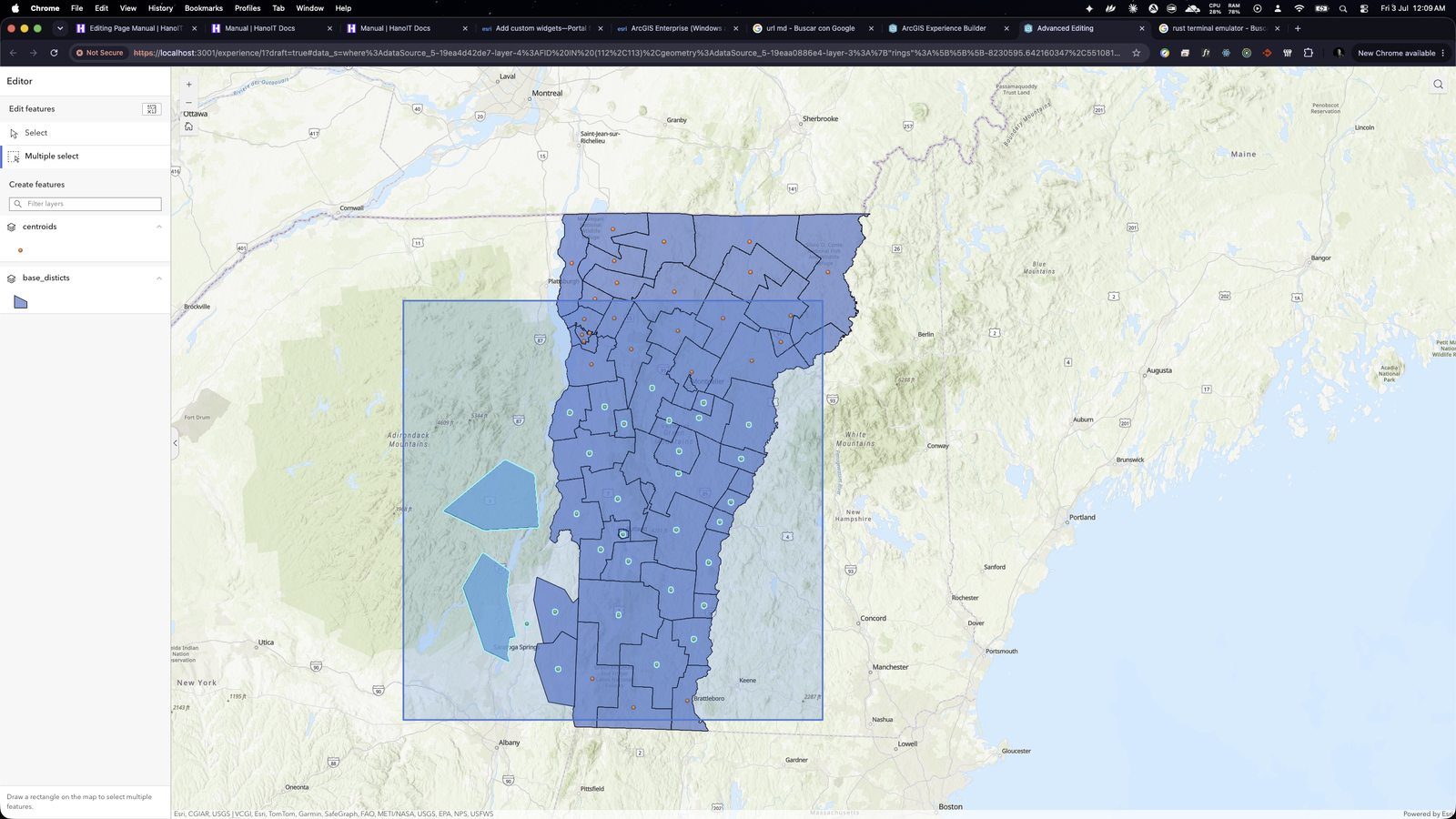
The platform features two tools for editing: (1) allows you to select geometries one by one, and (2) allows you to select multiple features at the same time for batch editing.
en este ejemplo, se puede ver como se seleccionan varios elementos con la herramienta de seleccion en rectangulo.
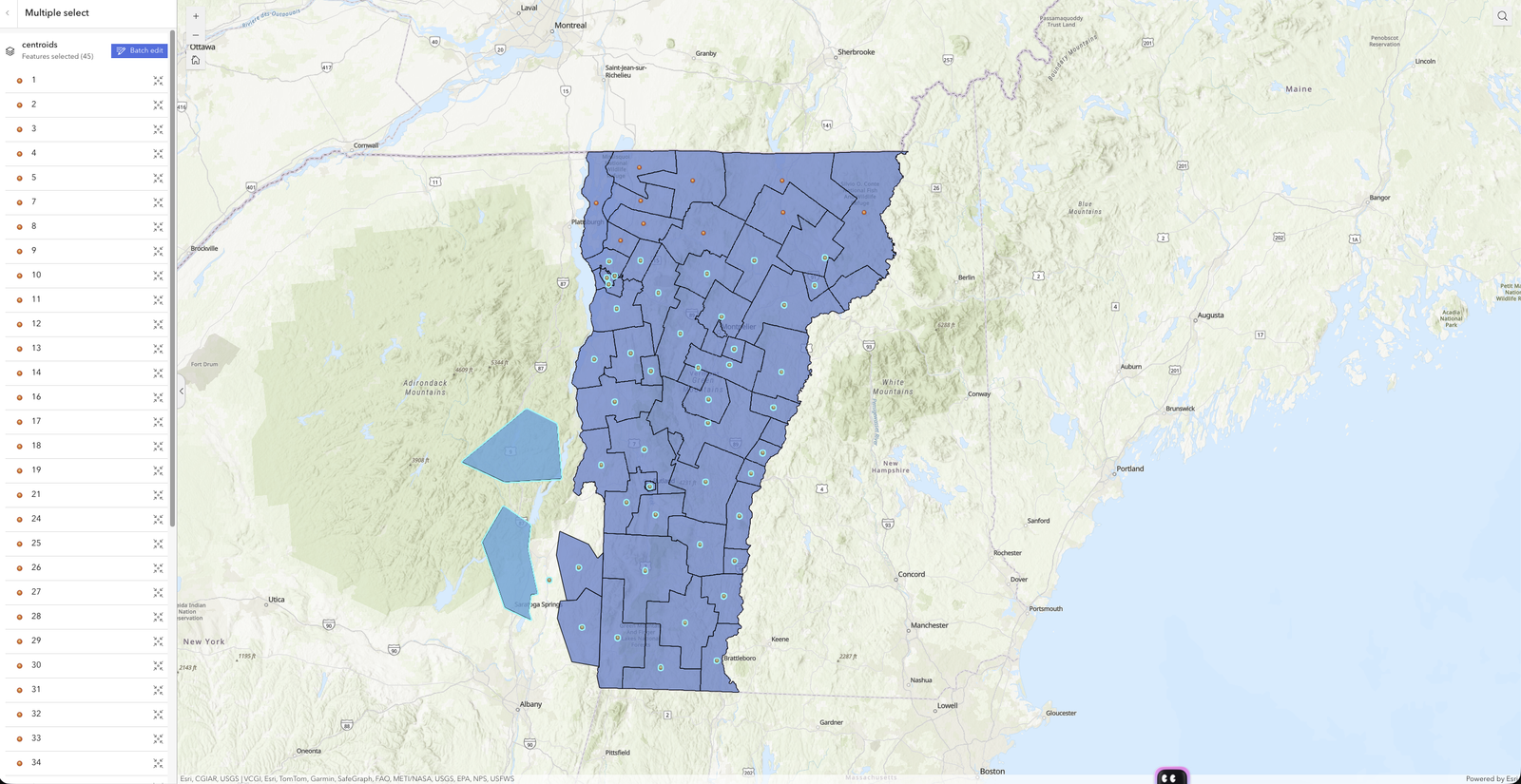
Una vez seleccioandas las features, veremos un listado de los elementos seleccionados, aqui podremoc escoger si queremos editar alguino en particular o si queremos realizar una edicion en lote. En cualquiera de los dos casos nos va a llevar a un formulario en el cual podremos editar los atributos
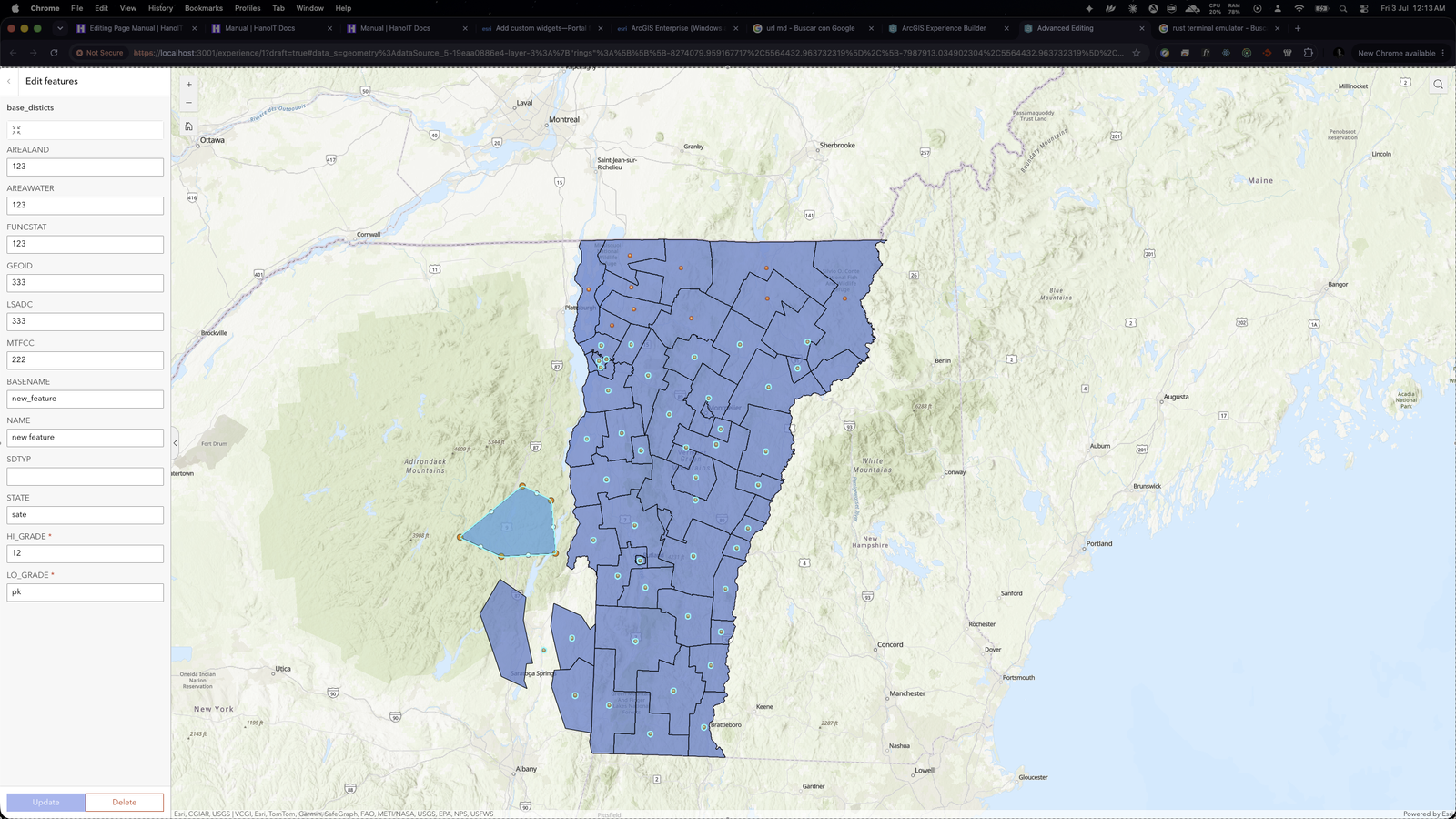
Cuando editamos una feature en especifico, tendremos la opcion de poder modificar sus puntos de control, ed decir poder editar su geometria.